The Definitive Guide to RAJA Game AR Wallet Withdrawal
Managing your gaming funds smoothly is one of the most important parts of any trusted online gaming platform. This is why understanding the RAJA Game AR Wallet Withdrawal process is essential for every active user. Whether you are withdrawing winnings, transferring wallet balance or checking transaction status, knowing the correct method helps you avoid delays and account issues.
RAJA Game provides a secure AR Wallet system designed for fast deposits, smooth balance management and reliable withdrawals. The platform has built its reputation around simple financial controls so players can focus on gaming while keeping their earnings protected.
This definitive guide provides a complete technical walkthrough of how RAJA Game AR Wallet Withdrawal works, including account verification, withdrawal steps, processing time, security checks and common troubleshooting tips.
For all official account transactions and wallet management, users should always process their funds through the official RAJA Game portal to ensure secure and successful operations.
Understanding the AR Wallet Entity
The AR Wallet functions as the dedicated financial intermediary for RAJA Game. Its purpose is to facilitate high-velocity fund transfers through:
- Direct UPI Integration: Establishing a bridge between the game and your personal bank account.
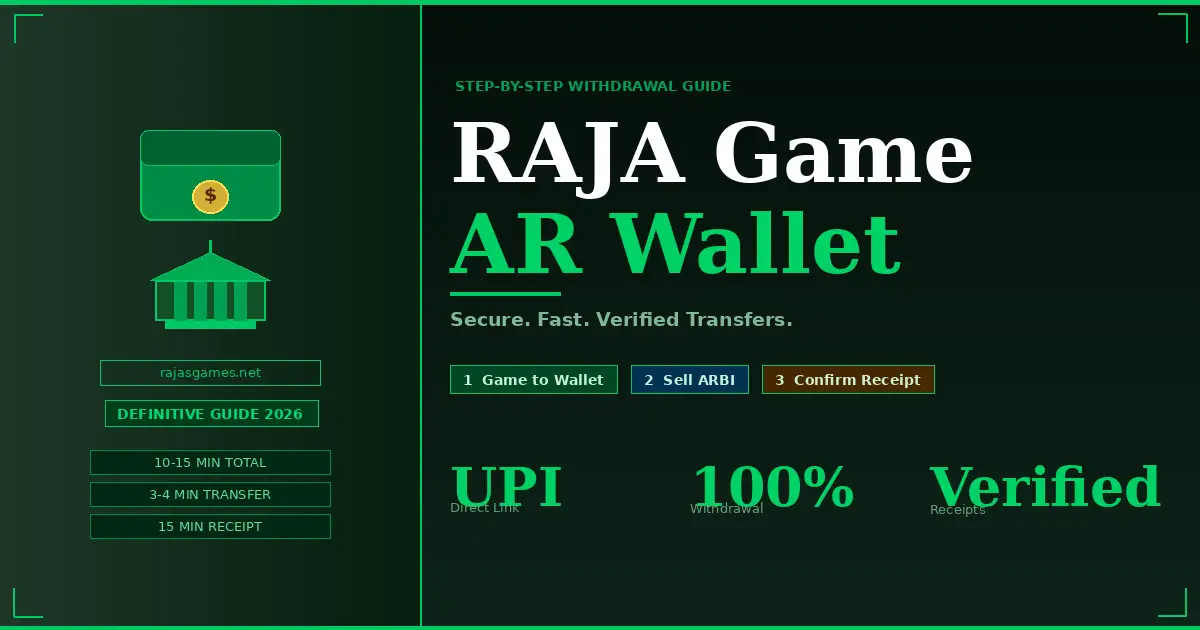
- Transactional Speed: Optimized to reduce latency, with transfers typically completing in a 10–15 minute window.
- Verified Receipts: A system-generated confirmation mechanism that validates the transfer of assets.
AR Wallet Activation Protocol
Before initiating a withdrawal, the system requires the initialization of your identity and payment credentials. Please ensure you are logged into your secure profile at https://rajasgames.net/ before starting these steps.
1. Initial Configuration Requirements
- Mobile Verification: Complete the OTP authentication using the mobile number registered to your RAJA Game profile.
- Security Credentialing: * Establish a 4-digit PIN for wallet operations.
- Configure a unique withdrawal password.
- Payment Binding: * Link your preferred UPI ID.
- Verify your Email ID to ensure secondary authentication channels are active.
Withdrawing from RAJA Game to AR Wallet
This phase covers the transfer of winnings from the game’s internal ledger to the AR Wallet.
- Initiation: Log into your RAJA Game account dashboard and navigate to the Withdrawal interface.
- Payment Method Selection: Locate the dropdown menu (typically defaulting to “Bank Card”) and switch it to ARP (AR Wallet).
- Transaction Input: * Specify the desired withdrawal amount.
- Authorize the request by entering your account password.
- Click Confirm to execute.
- Processing: Upon submission, the system routes funds to the AR Wallet. This usually reflects within 3–4 minutes.
Transferring Funds from AR Wallet to Bank/UPI
This is the final stage where funds transition from the wallet to your personal banking institution.
- Launch: Access your AR Wallet application.
- Navigate Options: Distinguish between Buy ARBI (Deposit) and Sell ARBI (Withdraw). Select the Sell ARBI option to begin the withdrawal sequence.
- Payment Verification: Navigate to My Selection and then Collection. Verify your auto-filled UPI ID to ensure the destination path is accurate.
- Execution:
- Enter the withdrawal amount.
- Set the withdrawal percentage to 100%.
- Click Sell.
Confirmation Logic and Transaction Timers
The AR Wallet utilizes a time-gated confirmation system to prevent financial errors.
- Stage 1 (30-Minute Timer): Initiates immediately after you click “Sell.” This represents the window for the transaction matching process, which typically finalizes in 3–4 minutes.
- Stage 2 (15-Minute Timer): This timer begins once the transaction is matched and the payment receipt is generated.
- Final Step: Monitor the system for the payment receipt notification. Only after the receipt is visible should you click Confirm Receipt.
Critical Safety Note: Never click “Confirm Receipt” without first seeing the official payment receipt. Confirming prematurely may cause the system to finalize the transaction without the funds reaching your bank, leading to a loss of assets.
Withdrawal Timeline Summary
| Process Stage | Expected Duration |
| RAJA Game to AR Wallet | 3–4 Minutes |
| Transaction Matching (Timer 1) | 3–4 Minutes |
| Receipt Generation (Timer 2) | 15 Minutes |
| Total Process Time | ~10–15 Minutes |
Conclusion: Securing Your Financial Transactions
Mastering the AR Wallet withdrawal process is essential for maintaining full control over your earnings within the RAJA Game ecosystem. By adhering to this technical workflow from the initial activation protocols to the precise confirmation of payment receipts you ensure a secure, transparent, and efficient transfer of your funds.
Remember, consistency in following the verification steps and patience during the system-timed phases are the most effective ways to safeguard your transactions and prevent errors. For continuous updates on platform features, account security guidelines, and to access your dashboard, always stay connected through the .
Troubleshooting and Technical FAQs
How long does a withdrawal take?
The entire cycle from the initial request in RAJA Game to the receipt of funds in your bank/UPI is optimized to complete within 10 to 15 minutes. For further assistance regarding your account, visit the RAJA Game support center.
What should I do if the payment receipt is delayed?
If the receipt is not generated within the 15-minute timer duration, do not take action. Wait for the timer to conclude and ensure your UPI ID details in the “Collection” section are correct. If the issue persists, contact official customer support.
Why must I wait for the receipt before confirming?
The receipt acts as the verifiable proof of transfer. Confirming the withdrawal before the receipt notification appears can disrupt the semantic link between the AR Wallet and your bank, potentially causing a failed transfer.
What are the primary causes of withdrawal failure?
Failures typically occur due to incorrect UPI IDs, confirming the transaction before the receipt is generated, or incomplete AR Wallet activation protocols. Always ensure your account is fully verified at https://rajasgames.net/ before initiating financial transfers.