How to Recover Rajagame Account: Step-by-Step Recovery Guide & Prevention Tips
How to Recover Rajagame Account
Rajagame account recovery is simple if you use the official password reset and OTP verification process.
If you forgot your password, lost your phone number, or your account was temporarily locked, you can restore access in a few steps. This guide explains the safest way to recover your account and protect it from future issues. For more helpful guides, visit RajasGames.net.
Why Users Lose Access to Their Rajagame Account
Many users cannot log in because of common account issues, including:
- Forgotten password
- Incorrect login details
- Lost or inactive mobile number
- OTP verification problems
- Multiple failed login attempts
- Temporary security lock
- App bugs or server issues
Most of these problems can be fixed quickly using the official recovery option.
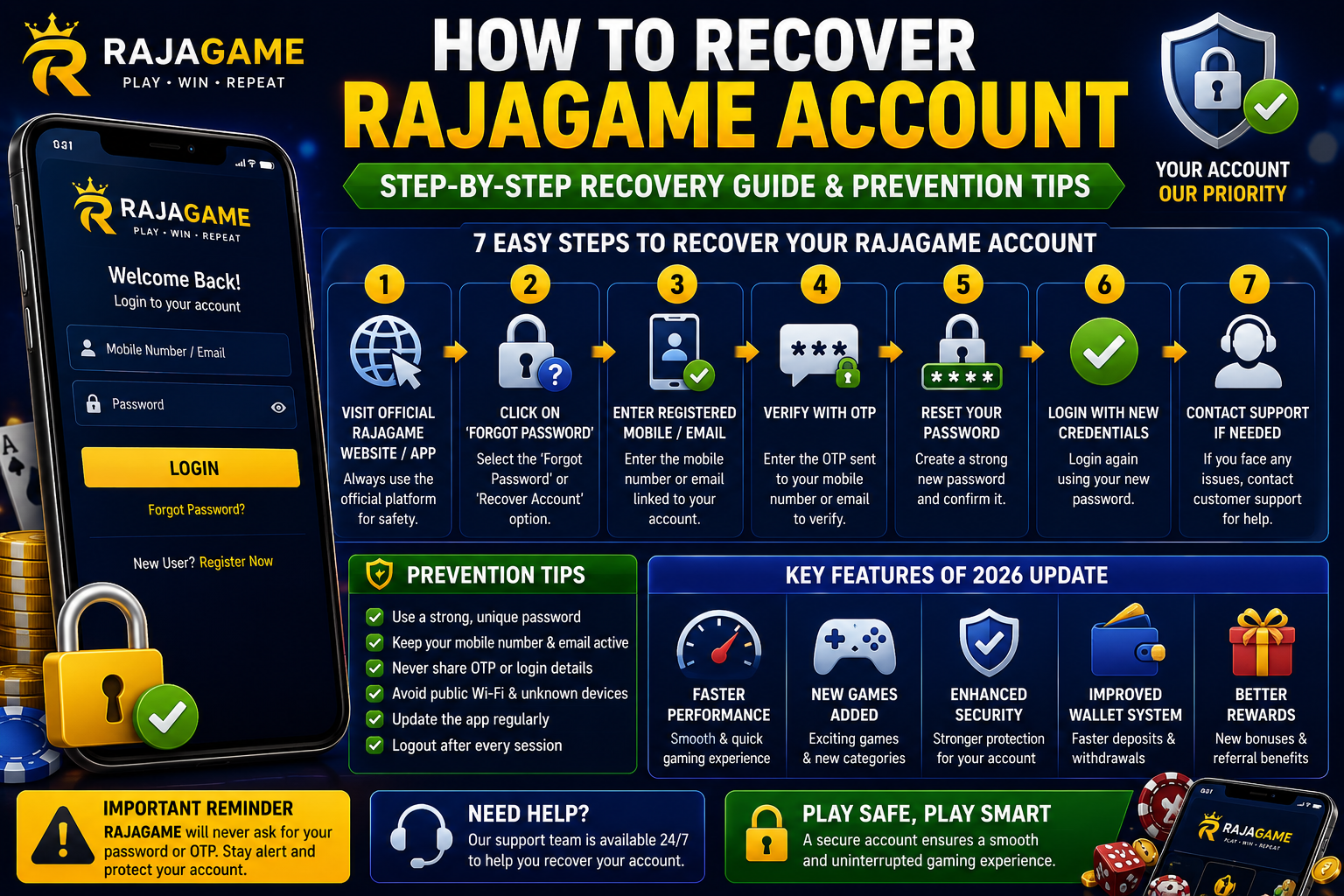
Step-by-Step Guide to Recover Your Rajagame Account
Step 1: Open the Official Website or App
Always use the official Rajagame platform to avoid phishing and fake websites.
Step 2: Click “Forgot Password”
On the login page, select the Forgot Password or Recover Account option.
Step 3: Enter Your Registered Mobile Number or Email
Type the same mobile number or email address used when creating your account.
Step 4: Verify the OTP
Enter the one-time password sent to your mobile number or email.
Step 5: Create a New Password
Choose a strong password using letters, numbers, and special characters.
Step 6: Log In Again
Return to the login page and sign in using your new password.
Step 7: Contact Customer Support if Needed
If the recovery process does not work, contact support and provide your registered details.
Tips for Successful Rajagame Account Recovery
To recover your account faster:
- Enter the correct mobile number or email
- Keep your SIM card active
- Check spam or junk folders for OTP emails
- Use a stable internet connection
- Avoid repeated OTP requests
How to Protect Your Rajagame Account
Prevention is the best way to avoid account loss.
Use a Strong Password
Create a unique password and update it regularly.
Keep Your Mobile Number Active
An active number is required to receive OTPs.
Never Share Your OTP
Do not provide OTPs or passwords to anyone.
Avoid Public Wi-Fi
Use secure internet connections when logging in.
Update the App Regularly
Install the latest version to improve security and performance.
Common Rajagame Recovery Problems
OTP Not Received
Wait a few minutes, check network coverage, and request another OTP.
Password Reset Link Not Working
Open the latest link and ensure it has not expired.
Account Temporarily Locked
Wait for the lock period to end or contact support.
Old Mobile Number No Longer Available
Reach out to customer support for manual verification.
Why Account Security Matters
Your Rajagame account may contain:
- Wallet balance
- Transaction history
- Personal information
- Game activity
Protecting your account helps prevent unauthorized access and financial loss.
Frequently Asked Questions
How do I recover my Rajagame account?
Use the Forgot Password option, verify the OTP, and create a new password.
What if I forgot my password?
Reset it using your registered mobile number or email.
Can I recover my account without my old phone number?
Yes, customer support may help after identity verification.
Why is my account locked?
Too many failed login attempts or unusual activity can trigger a temporary lock.
Is account recovery free?
Yes, the official recovery process is completely free.
Conclusion
Recovering your Rajagame account is straightforward when you follow the correct steps. Whether you forgot your password, lost your mobile number, or your account was temporarily locked, the official recovery system can help you regain access quickly. Use strong passwords, keep your contact information updated, and never share your OTP with anyone. For more Rajagame guides, tutorials, and updates, visit Rajasgame.net